Ultimate Construction Estimating Software Guide
By Grace with Erro
Updated: July 11, 2026
Learn how to evaluate construction estimating software for your business. Compare the workflows, pricing controls, templates, and integrations that help contractors create accurate estimates and protect project margins.
Key Topics
What Construction Estimating Software Should Solve
Start With Your Existing Estimating Process
Evaluate the Pricing Library and Cost Controls
Look for Templates, Revisions, and Connected Workflows
Choose Software Your Team Will Actually Use
Compare Reporting and Visibility
Plan Implementation Before You Buy
A Practical Evaluation Checklist
Use these steps to compare estimating software against the workflow your construction business needs today.
Map a representative estimate
Choose a recent project and list every input your team needed: quantities, labor, materials, taxes, markup, exclusions, and approvals. Use that real workflow when you evaluate a product.
Review how pricing is maintained
Confirm who can update shared costs, how those changes are documented, and how the team handles project-specific pricing without changing the standard library.
Test templates and estimate revisions
Create an estimate from a reusable template, change quantities or scope, and make a revision. The process should be clear enough that your team can trust the final version.
Confirm the path to approval
An estimate is more useful when it supports the next sales step. Check how it becomes a proposal, how clients approve it, and how your team retains the signed record.
Plan ownership and rollout
Assign a clear owner for pricing, templates, and training. Start with a small set of common estimates, collect team feedback, and standardize the process before expanding it across every project type.
Related Estimating Resources
Continue researching the processes that make construction estimates more accurate and profitable.
What is the best construction estimating software?
How do I estimate construction costs accurately?
How much should I mark up materials and labor?
Construction Estimate Templates
Use trade-specific templates to assess the level of detail and organization your estimating process needs.
Contractor Estimate Template
Commercial Construction Estimate Template
Roofing Estimate Template
Explore Estimating Features in Erro
See how Erro connects pricing, estimate creation, and the next stages of your sales process.
Estimate Creation
Product Library
Proposals
Ready to Grow Your Business?
Erro's powerful tools are designed to help you scale faster, work smarter, and achieve more. Join thousands of businesses already transforming their operations.
Everything your team needs to stay in sync.
From leads to invoices, Erro keeps your team aligned. Built-in CRM and project management tools help you track clients, assign tasks, and stay updated on every job.
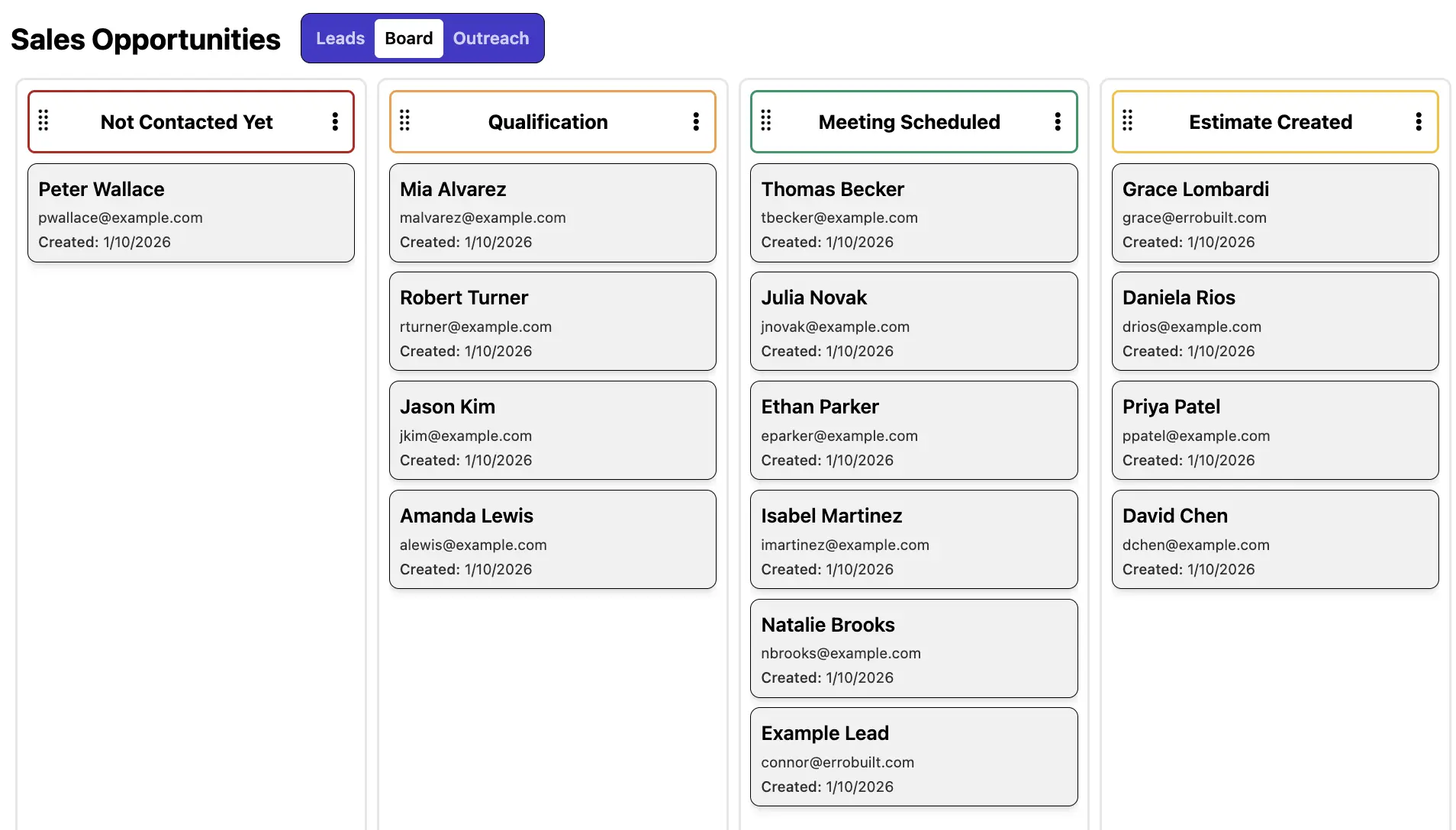
CRM & Contact Forms
Capture, organize, and manage leads in one place to keep your pipeline moving. Collect leads from web forms, phone calls, and referrals, then track interactions, apply custom tags and statuses, and collaborate with your team to turn more opportunities into conversions.
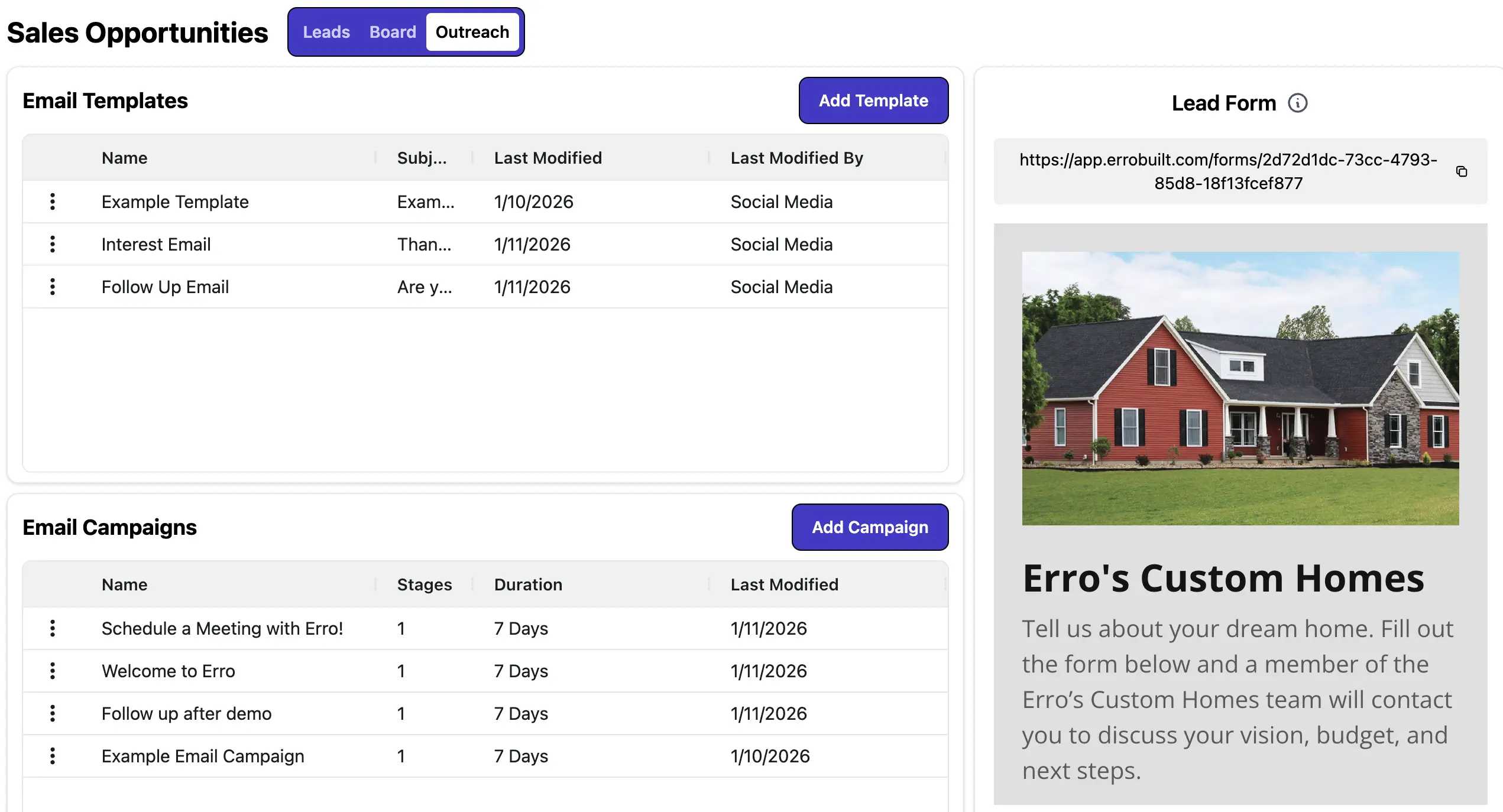
Marketing Automation
Automate outreach to save time and boost conversions. Set up email campaigns, schedule follow-ups, and use custom email templates to maintain a consistent brand presence and streamline communications at scale.
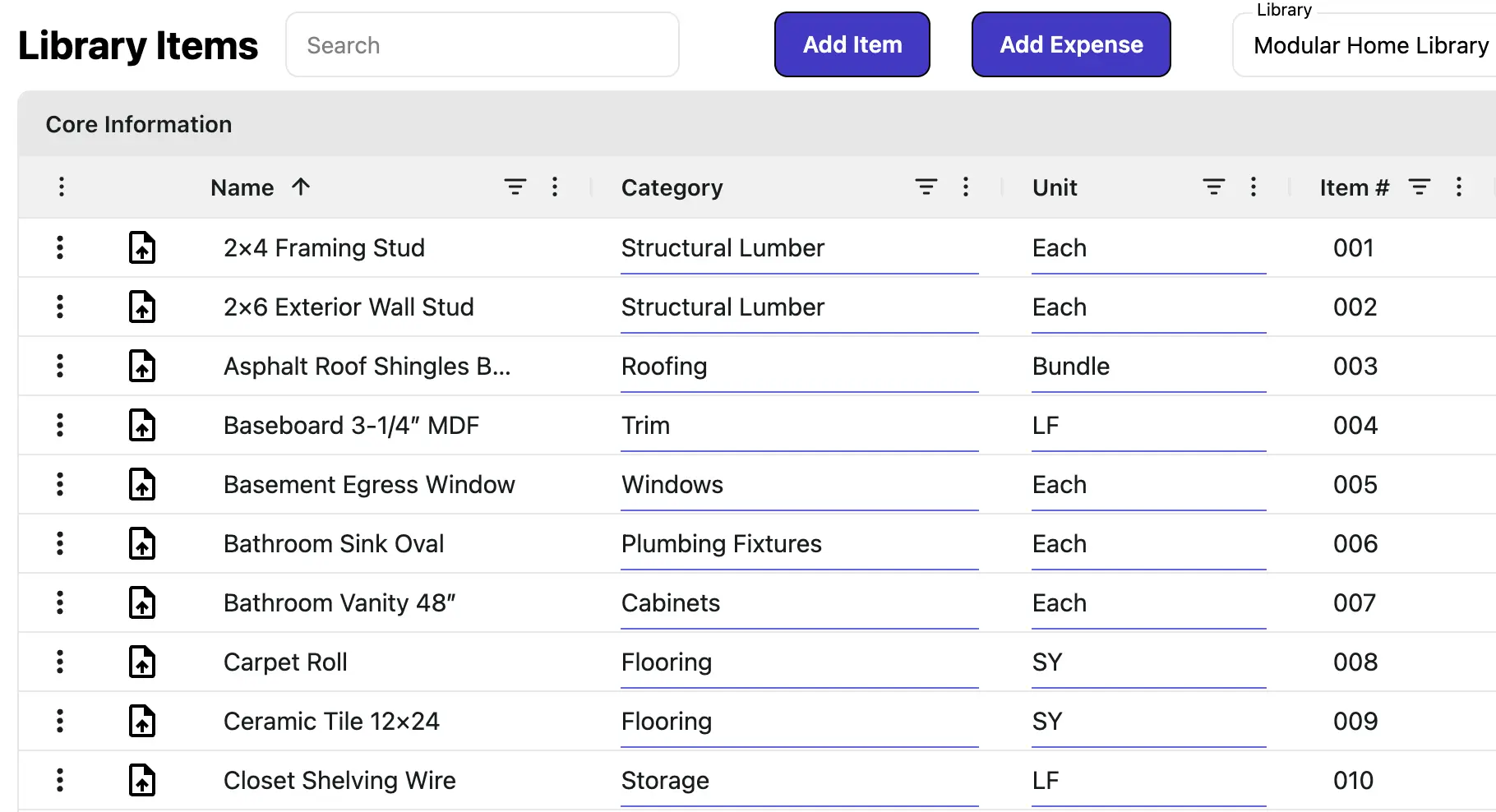
Product Library
Centralize all your offerings with up-to-date pricing, tax profiles, and budget tracking. Add items to estimates, proposals, and invoices with accuracy, without relying on spreadsheets or manual calculations.
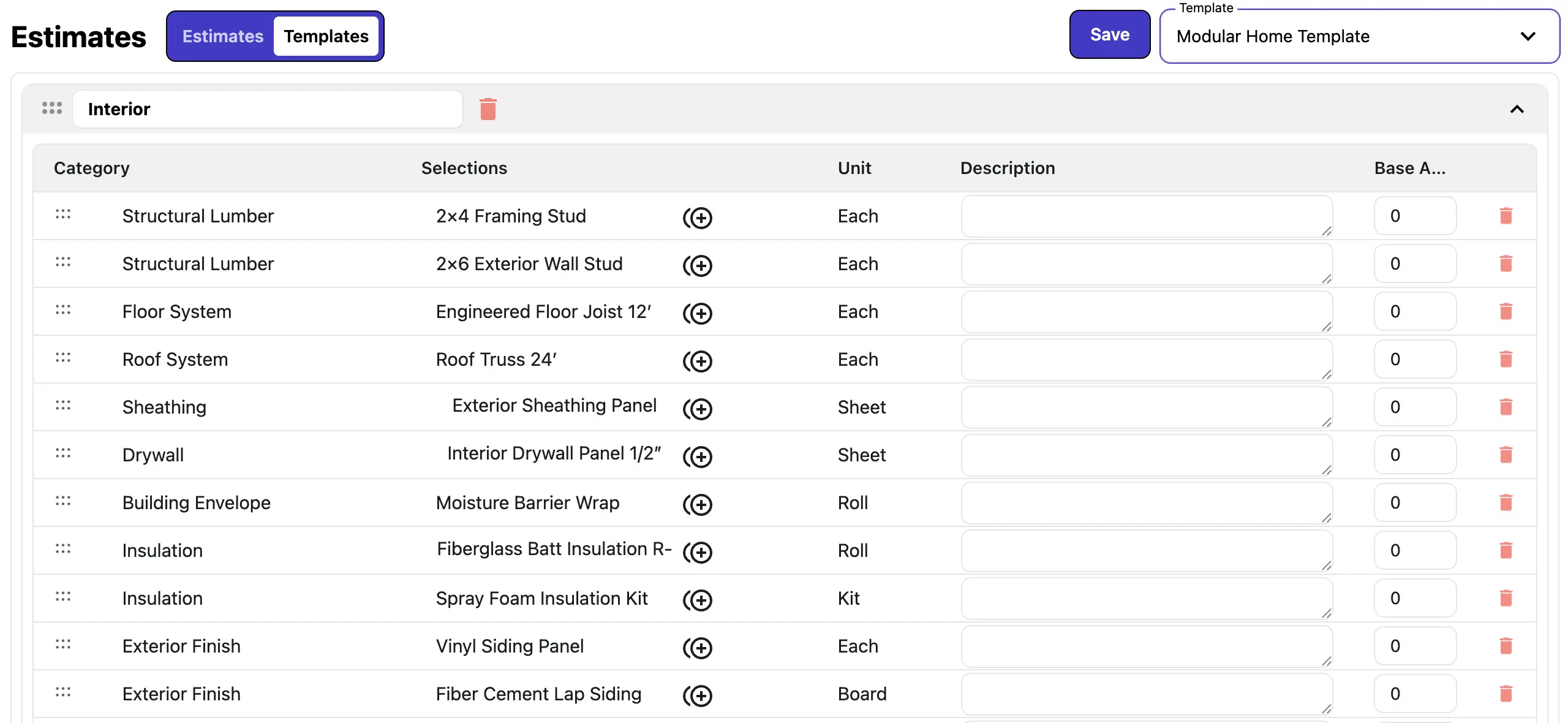
Sales Templates
Build reusable templates for all your sales documents, including estimates and proposals. Support complex assemblies, base and option pricing, and item groupings. Save, update, and copy templates to streamline workflows, reduce errors, and accelerate sales cycles.
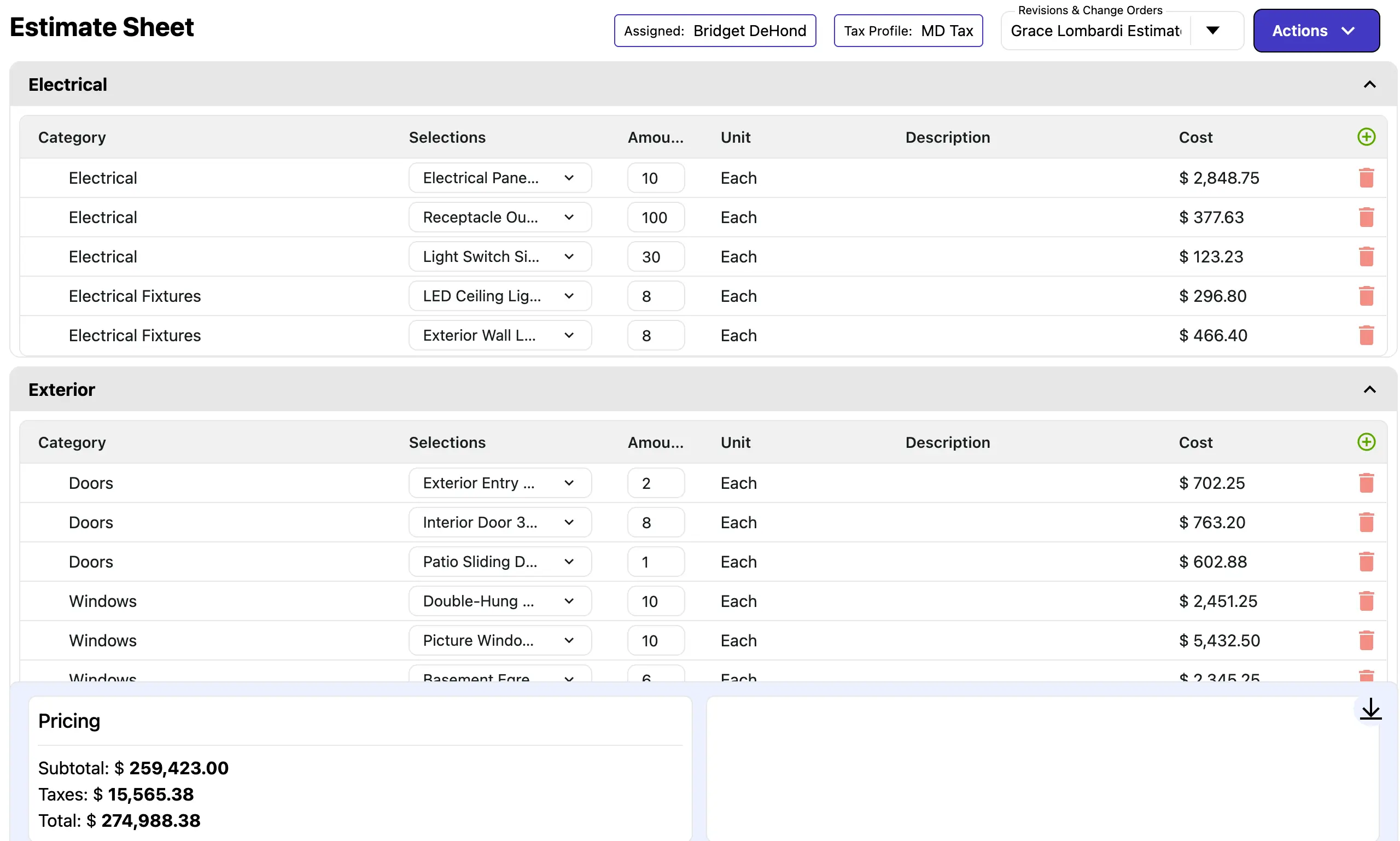
Estimate Creation
Create accurate estimates in minutes using templates and live pricing from your product library. Adjust items, quantities, and pricing with confidence, then send proposals directly from your estimates to clients for faster approvals.
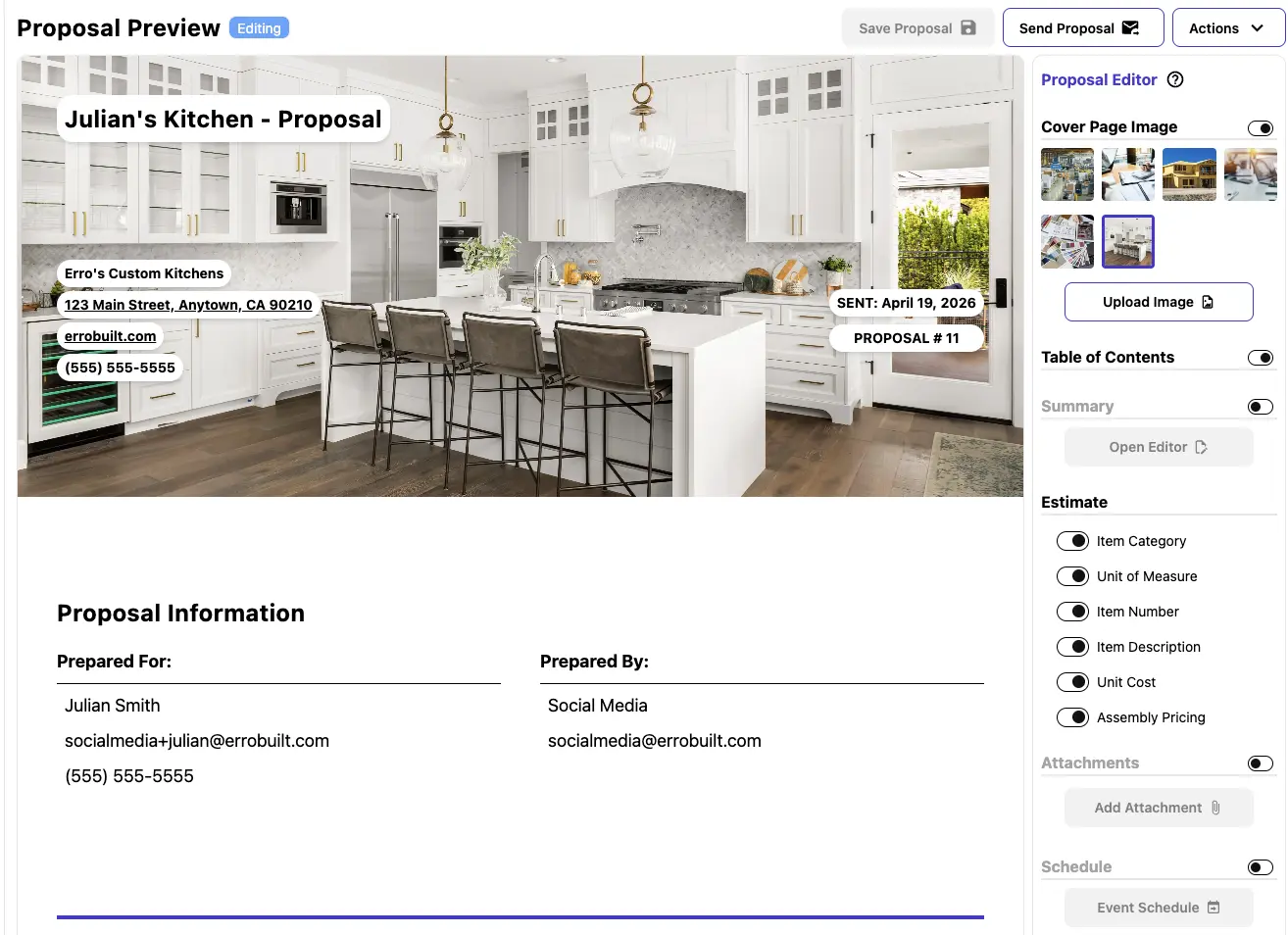
Proposals
Create, manage, and send professional proposals with ease. Customize templates, track client interactions, and streamline the approval process to close deals faster.

Invoices & Payments
Generate invoices from proposals and record payments seamlessly. Automate billing notifications, track payment status, and manage recurring or scheduled invoices—all from a single dashboard.

Change Orders
Manage change orders efficiently by linking them directly to estimates and proposals. Track payments and current pricing, update line items easily, and keep your team informed with dashboard visibility and automated approval workflows.
Ready to estimate and sell more efficiently?
Start your 30-day free trial, create an account immediately, and build accurate estimates and proposals from desktop or mobile.
Frequently Asked Questions
How do I access Erro?
How do I get started with Erro?
Can I change my subscription plan later?
Is Erro suitable for small businesses?
How is billing managed?
Does Erro offer customer support?
Can I import my existing data into Erro?
Is Erro Mobile-Friendly?
How do I add my lead form to my website?
Is my data secure with Erro?