The Ultimate Guide to Construction Proposals
By Connor with Erro
Updated: June 20, 2026
Master the art of creating winning construction proposals with our comprehensive guide. Learn best practices, customization strategies, branding techniques, and tools to create modern, professional proposals that close deals faster. Explore related blogs, download free templates, discover Erro's powerful proposal features, access step-by-step help articles, and get an exclusive free trial of our proposal management software.
Key Topics
What Are Construction Proposals and Why They Matter
The Challenge of Creating Competitive Proposals
Customizing Proposals for Maximum Impact
The Power of Modern Proposal Design
Key Statistics: Why Proposal Quality Matters
How Erro Transforms Proposal Creation
How to Create Winning Construction Proposals: Step-by-Step with Help Articles
Follow our comprehensive guide to create professional, customized proposals that win more clients and close deals faster.
Step 1: Choose the Right Template
Start with a professionally designed template that matches your industry and business style. Select from trade-specific templates like roofing, HVAC, plumbing, or electrical, or use a general contractor template. A well-designed template provides the foundation for your proposal and ensures consistency in branding and formatting across all client documents.
Step 2: Add Your Brand Identity
Customize the template with your company logo, brand colors, and contact information. Make sure your branding is consistent throughout the proposal to reinforce brand recognition. Include your company name, contact details, website, and any certifications or badges that build trust with prospects. Professional branding immediately sets you apart from competitors using generic templates.
Step 3: Write a Compelling Project Overview
Create a clear, compelling summary of the proposed project that speaks directly to the client's needs. Explain what work will be performed, why it matters, and how it solves their specific problem. Avoid generic language and instead personalize the overview to reference the client's unique situation, property details, and desired outcomes. A strong overview captures attention and demonstrates that you understand their project.
Step 4: Break Down Costs with Clarity
Present itemized costs in an easy-to-understand format that shows exactly what clients are paying for. Break down labor, materials, equipment, and other costs separately. Use clear headings and professional formatting to make the pricing section readable. Consider grouping costs by project phase or category to help clients understand value and build confidence in your pricing.
Step 5: Showcase Relevant Project Photos
Include high-quality photos of similar completed projects that demonstrate your expertise and craftsmanship. Choose photos that are directly relevant to the current project type. Visual proof of your work builds credibility and helps clients envision the results. Organize photos with captions explaining the work completed and project outcomes to create maximum impact.
Step 6: Highlight Your Expertise and Qualifications
Include relevant certifications, licenses, insurance information, and years of experience to build trust. Emphasize specialized expertise that applies to their specific project type. Add customer testimonials, ratings, or case studies that demonstrate your track record. Professional credentials and proven results give clients confidence they're making the right choice.
Step 7: Create a Clear Call to Action
End your proposal with a clear, persuasive call to action that makes it easy for clients to move forward. Include your e-signature link, contact information for questions, and a deadline for the proposal validity. Use modern digital signature capabilities to streamline the approval process and track when clients review and sign. A strong close increases conversion rates.
Related Proposal Blogs & Educational Resources
Dive deep into construction proposals with our expert articles covering everything from proposal writing to digital signature strategies.
How do I estimate construction costs accurately?
What software do contractors need?
How to get clients to approve estimates faster?
How do I write a construction proposal?
How do contractors handle progress payments?
How to invoice clients for construction work?
Best way to send contracts for signature?
Do digital proposals increase close rates?
Free Proposal Templates
Download and customize our professionally designed proposal templates to create accurate and comprehensive proposals for your construction projects.
Contractor Proposal Template
Roofing Proposal Template
Kitchen Remodel Proposal Template
Bathroom Remodel Proposal Template
Custom Home Proposal Template
HVAC Proposal Template
Electrical Proposal Template
Plumbing Proposal Template
Contractor Estimate Template
Custom Home Estimate Template
Explore Erro's Proposal Management Features
Explore the powerful proposal features of the Erro platform that streamline construction proposal creation, customization, and tracking.
Create Proposals
Proposal Management
Proposal Approval Workflow
Ready to Grow Your Business?
Erro's powerful tools are designed to help you scale faster, work smarter, and achieve more. Join thousands of businesses already transforming their operations.
Everything your team needs to stay in sync.
From leads to invoices, Erro keeps your team aligned. Built-in CRM and project management tools help you track clients, assign tasks, and stay updated on every job.
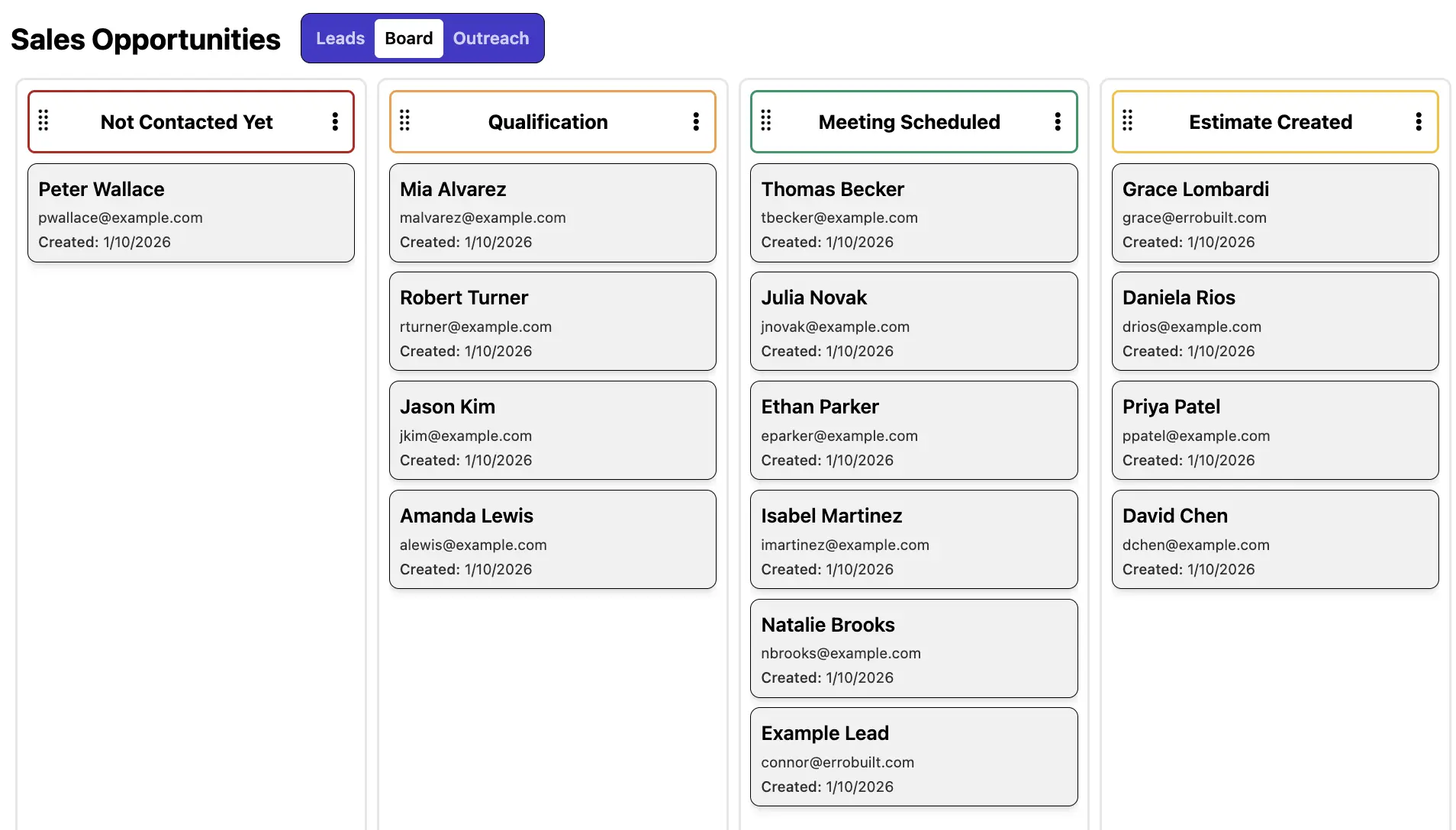
CRM & Contact Forms
Capture, organize, and manage leads in one place to keep your pipeline moving. Collect leads from web forms, phone calls, and referrals, then track interactions, apply custom tags and statuses, and collaborate with your team to turn more opportunities into conversions.
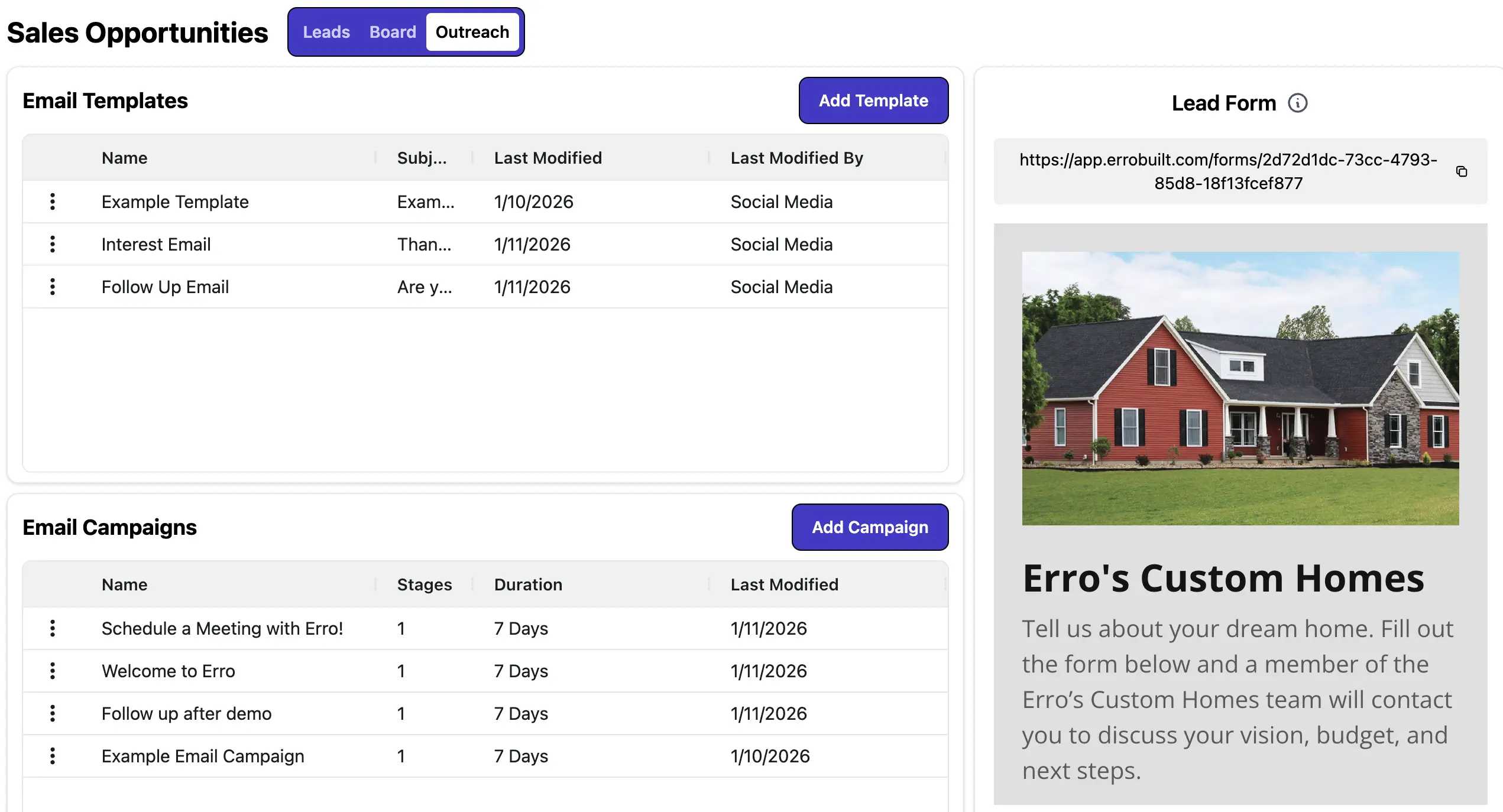
Marketing Automation
Automate outreach to save time and boost conversions. Set up email campaigns, schedule follow-ups, and use custom email templates to maintain a consistent brand presence and streamline communications at scale.
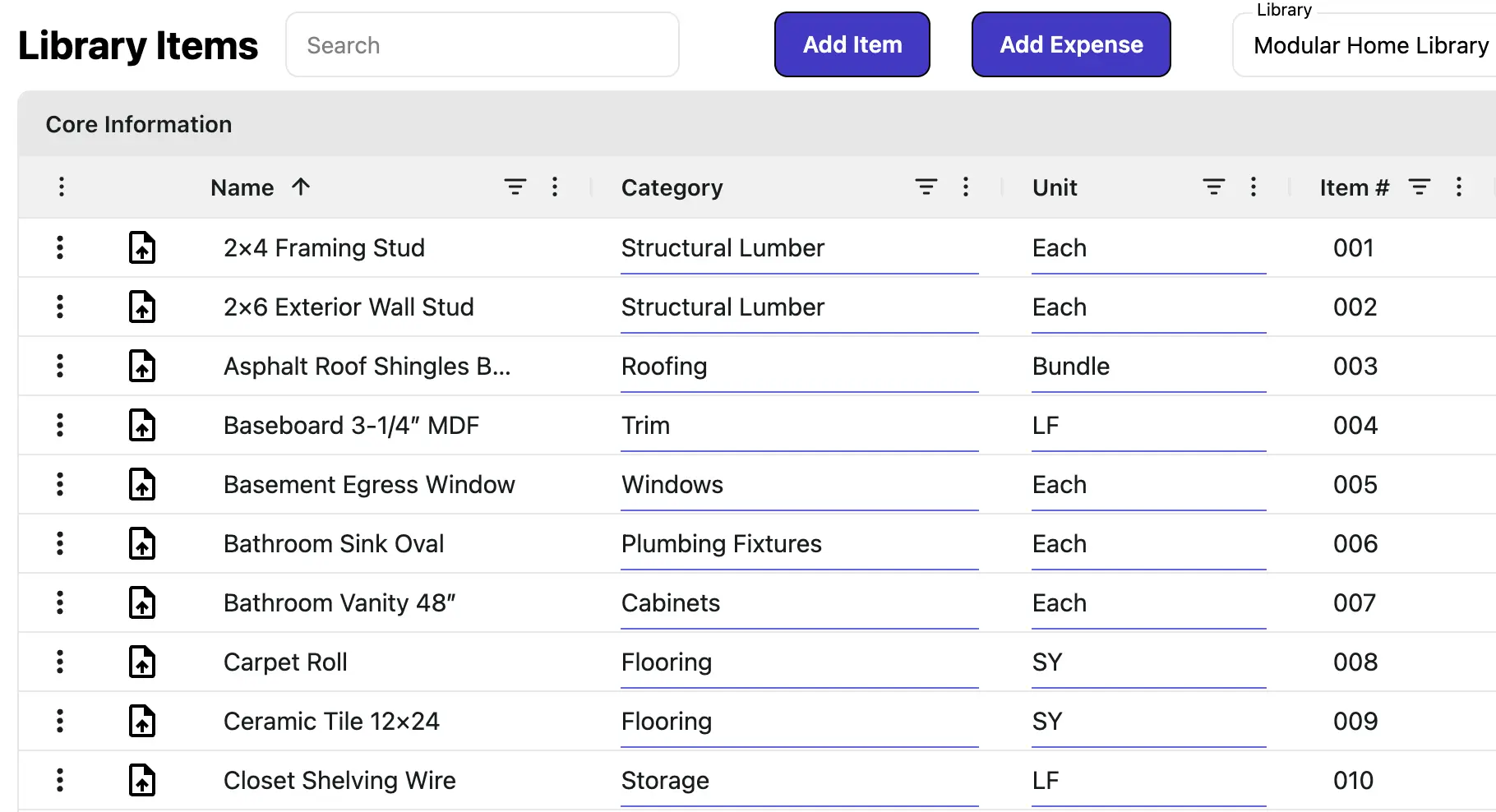
Product Library
Centralize all your offerings with up-to-date pricing, tax profiles, and budget tracking. Add items to estimates, proposals, and invoices with accuracy, without relying on spreadsheets or manual calculations.
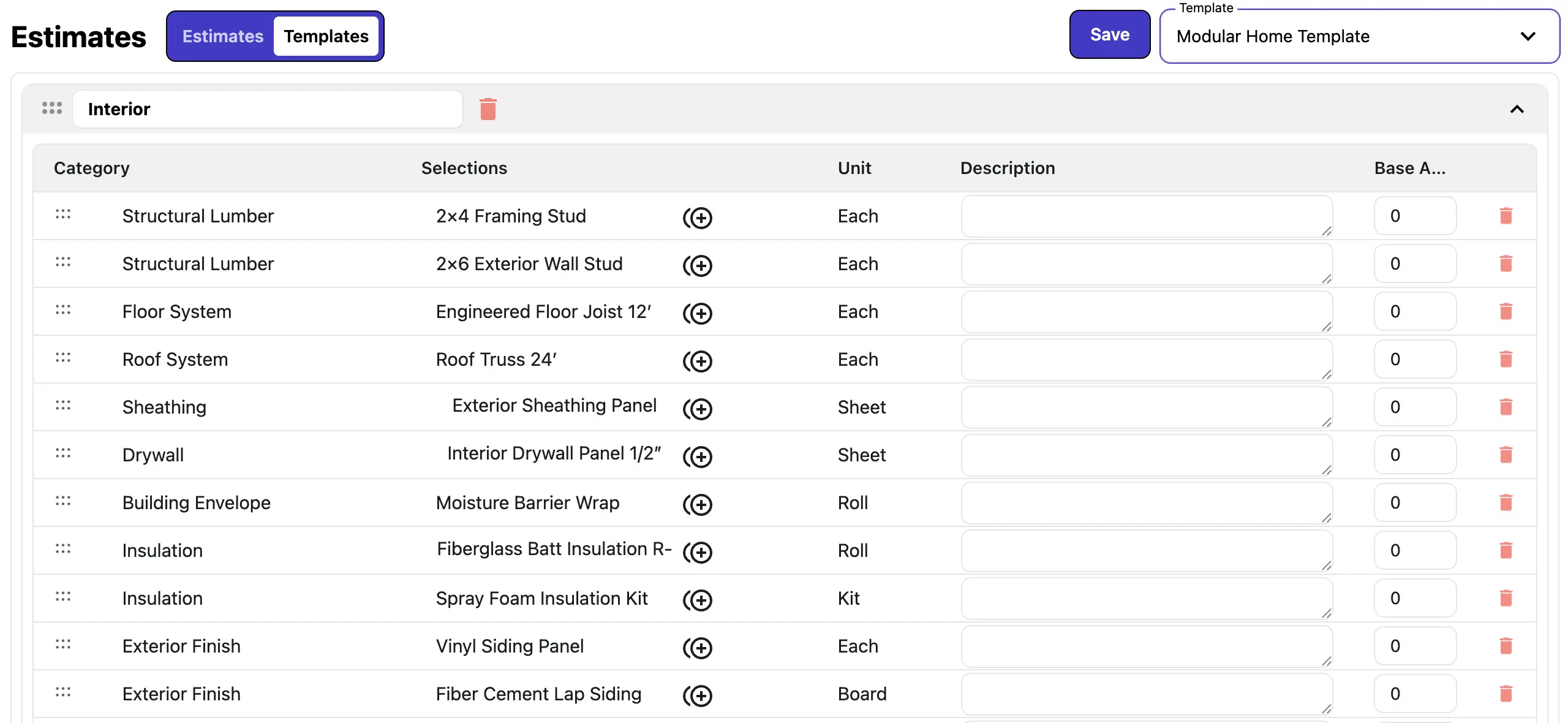
Sales Templates
Build reusable templates for all your sales documents, including estimates and proposals. Support complex assemblies, base and option pricing, and item groupings. Save, update, and copy templates to streamline workflows, reduce errors, and accelerate sales cycles.
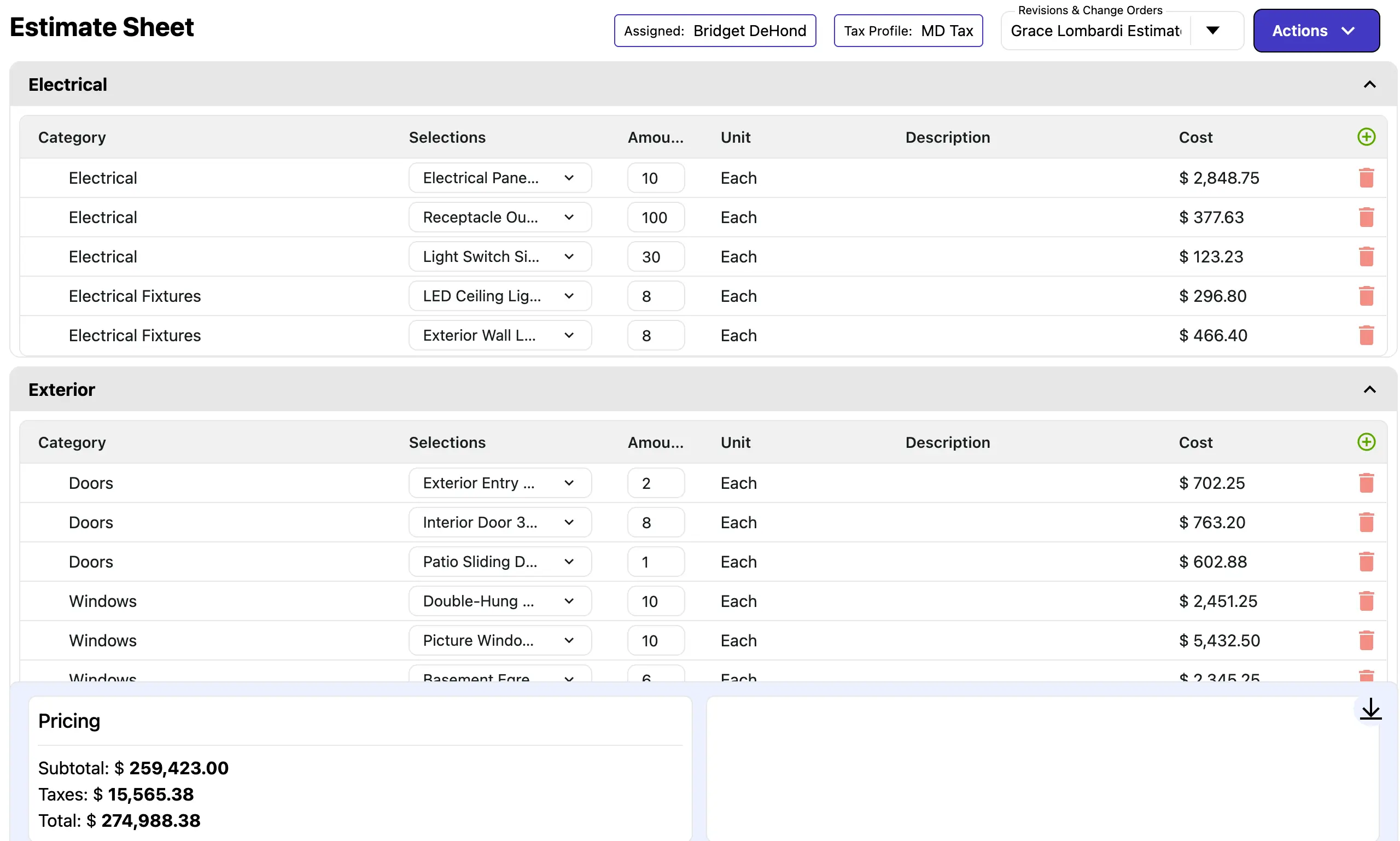
Estimate Creation
Create accurate estimates in minutes using templates and live pricing from your product library. Adjust items, quantities, and pricing with confidence, then send proposals directly from your estimates to clients for faster approvals.
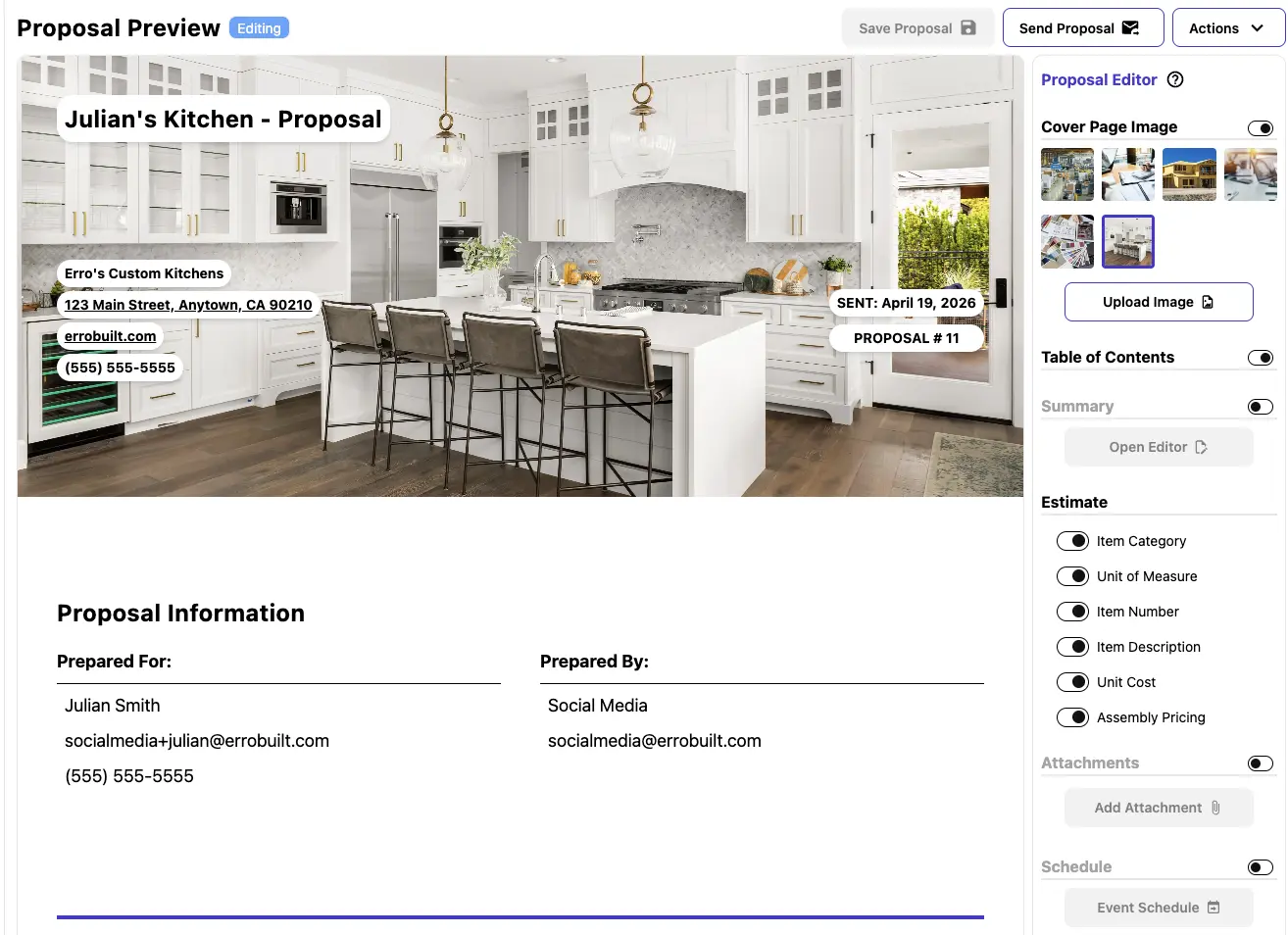
Proposals
Create, manage, and send professional proposals with ease. Customize templates, track client interactions, and streamline the approval process to close deals faster.

Invoices & Payments
Generate invoices from proposals and record payments seamlessly. Automate billing notifications, track payment status, and manage recurring or scheduled invoices—all from a single dashboard.

Change Orders
Manage change orders efficiently by linking them directly to estimates and proposals. Track payments and current pricing, update line items easily, and keep your team informed with dashboard visibility and automated approval workflows.
Ready to estimate and sell more efficiently?
Start your 30-day free trial, create an account immediately, and build accurate estimates and proposals from desktop or mobile.
Frequently Asked Questions
How do I access Erro?
How do I get started with Erro?
Can I change my subscription plan later?
Is Erro suitable for small businesses?
How is billing managed?
Does Erro offer customer support?
Can I import my existing data into Erro?
Is Erro Mobile-Friendly?
How do I add my lead form to my website?
Is my data secure with Erro?