Send a Proposal
Learn how to create and send a proposal step-by-step.
By Erro Support | 01/25/2026
2 min read
Estimate
1. Create Estimate
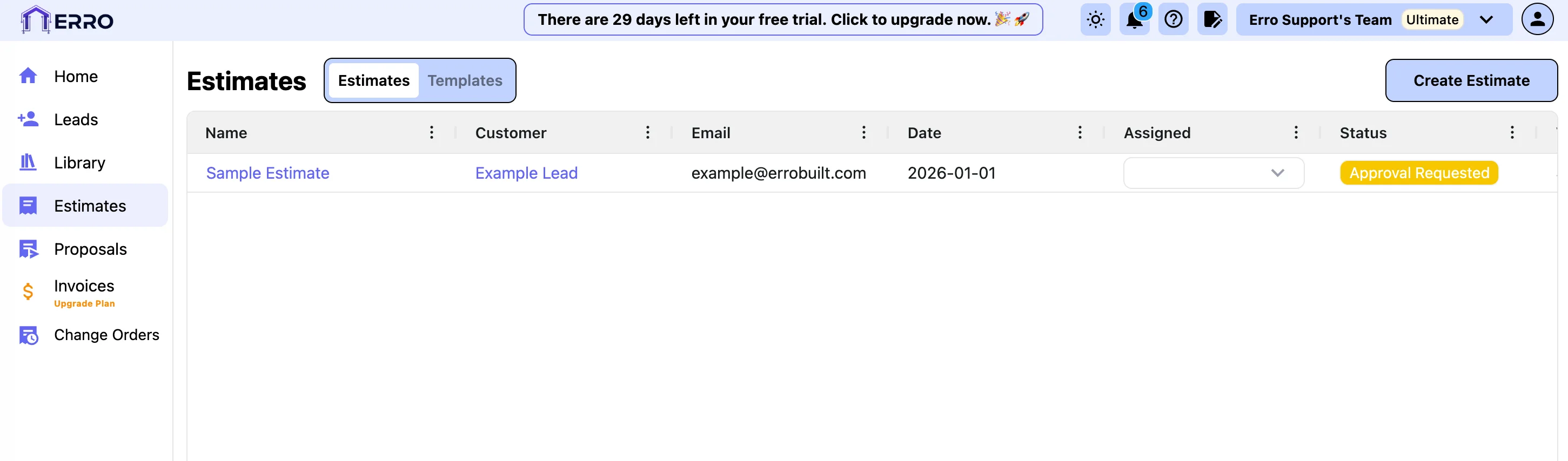
2. Choose a template to get started
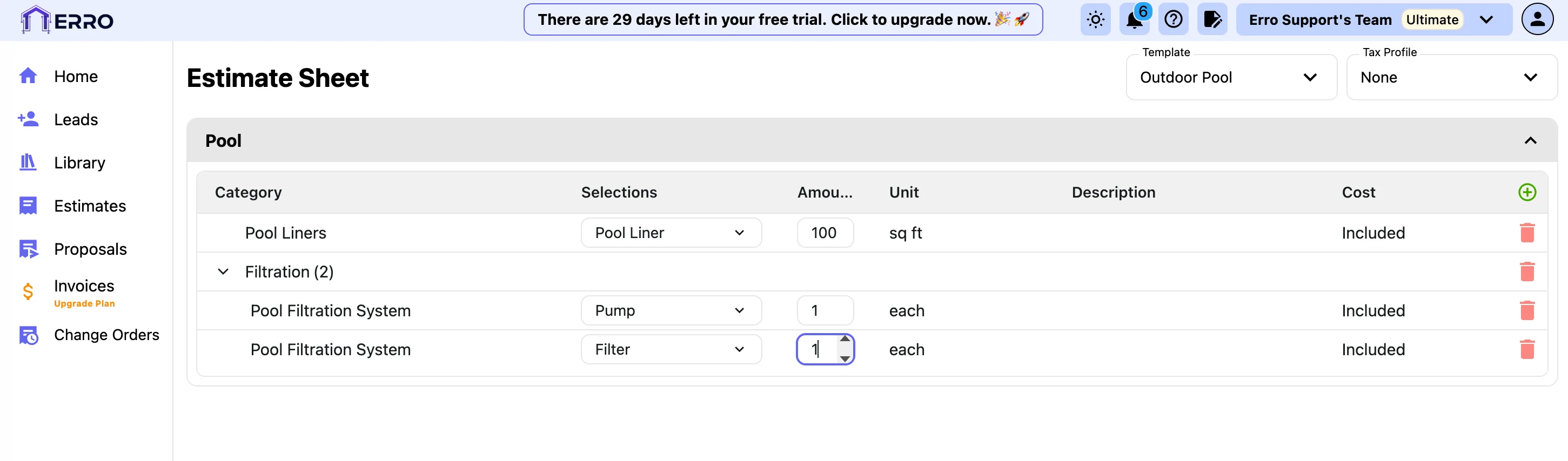
3. Assign a Tax Profile
4. Manually add items to your estimate
5. Delete items you don't need
6. Assign Estimate to a Lead
7. Add a Name to your Estimate
Other Estimate Articles
Explore more articles to help you get the most out of Erro.
Create an Estimate
Step-by-step guide to creating an estimate.
Estimate
2 min read
1/25/2026

Erro Support
Save a Revision of an Estimate
Step-by-step guide to saving a revision of an estimate.
Estimate
2 min read
1/25/2026
Erro Support
Approve or Reject an Estimate
Step-by-step guide to approving or rejecting an estimate.
Estimate
2 min read
1/25/2026
Erro Support
Send a Draft Proposal
Step-by-step guide to sending a draft proposal.
Estimate
2 min read
1/25/2026
Erro Support