Estimate Models, Options, Site Work, and Client Changes in One Workflow
Modular Home Builder Software
Erro helps modular home builders organize model pricing, option packages, site-specific scope, client proposals, and approved changes. Build a clearer sales-to-estimate workflow without treating every home as a blank-slate quote.
Solving Real Problems for Your Team
Our platform is designed to address the unique challenges faced by owners, managers, estimators, sales teams, and clients—empowering everyone to achieve better outcomes, together.
Model pricing and job-specific site work need different estimating logic
Use reusable items and assemblies for repeatable model scope, then add the excavation, foundation, utilities, delivery coordination, and other site conditions that belong to the individual project. This makes the structure of the quote easier to review.
Create reusable model and option assemblies
Separate factory scope from site-built work
Keep site-specific allowances visible
Review exclusions before sending a proposal
Options and upgrades make a standard model difficult for clients to compare
Organize included specifications, package upgrades, and client choices so the base price is distinct from optional work. A repeatable option structure reduces manual re-entry and gives the client a clearer approval decision.
Build reusable finish and upgrade packages
Show included and optional scope separately
Document allowances and assumptions
Preserve the pricing behind each revision
Manufacturer updates and local vendor costs can make old quote inputs unreliable
Assign ownership for regularly reviewed inputs and record the source of meaningful cost changes. For material, freight, or local labor conditions that vary by project, validate the current input before committing to the client price.
Maintain a shared library of recurring costs
Record supplier or manufacturer price sources
Review high-risk costs before proposals
Test updates with a representative estimate
Client changes require a record that protects the original agreement
Treat a model revision, site-condition change, or homeowner upgrade as a documented change from the approved estimate. The change-order workflow keeps the added scope, price, and client approval connected to the original record.
Create changes from the accepted estimate
Explain what was added, removed, or revised
Send a clear approval request
Keep approved changes visible for billing
Sales teams need a clear path from inquiry to proposal and payment
Connect lead details, model interest, estimate context, proposal status, and invoicing in one workflow. Erro works on desktop and mobile, and a 30-day free trial lets your team test the process with a real opportunity.
Organize leads and next follow-up steps
Create proposals from estimate context
Set invoices and payment milestones
Accept online payments through Stripe
Construction software solutions by business type
Explore workflows for the way your team estimates, sells, and manages client changes.
Construction Estimating Software
Estimate, propose, manage changes, and invoice from one workspace.
Commercial Construction Estimating
For detailed bids, revisions, and commercial proposal workflows.
Construction Cost Database Software
For teams that need shared pricing, assemblies, and estimate consistency.
Construction Marketing Automation
For lead capture, estimate follow-up, and connected client communication.
Construction Payment Reminders
For invoices, payment plans, online payments, and follow-up.
Construction Profitability Workflows
For estimates, scope changes, billing, and more informed pricing decisions.
Trades & Construction
For specialty contractors and trade businesses.
Custom Remodelers
For repeatable scope, material, and change-order pricing.
Custom Home Builders
For detailed estimates, selections, and client approvals.
Modular Home Builders
For model pricing, option packages, site work, and client changes.
Design & Build Firms
For design-build teams that need a connected sales workflow.
Fabricators & Manufacturers
For organized estimates, orders, and client change management.
Agencies & Consultants
For client-facing teams managing proposals and sales activity.
Modernizing Sales Teams
For teams replacing manual sales processes and spreadsheets.
Ready to estimate and sell more efficiently?
Start your 30-day free trial, create an account immediately, and build accurate estimates and proposals from desktop or mobile.
Everything your team needs to stay in sync.
From leads to invoices, Erro keeps your team aligned. Built-in CRM and project management tools help you track clients, assign tasks, and stay updated on every job.
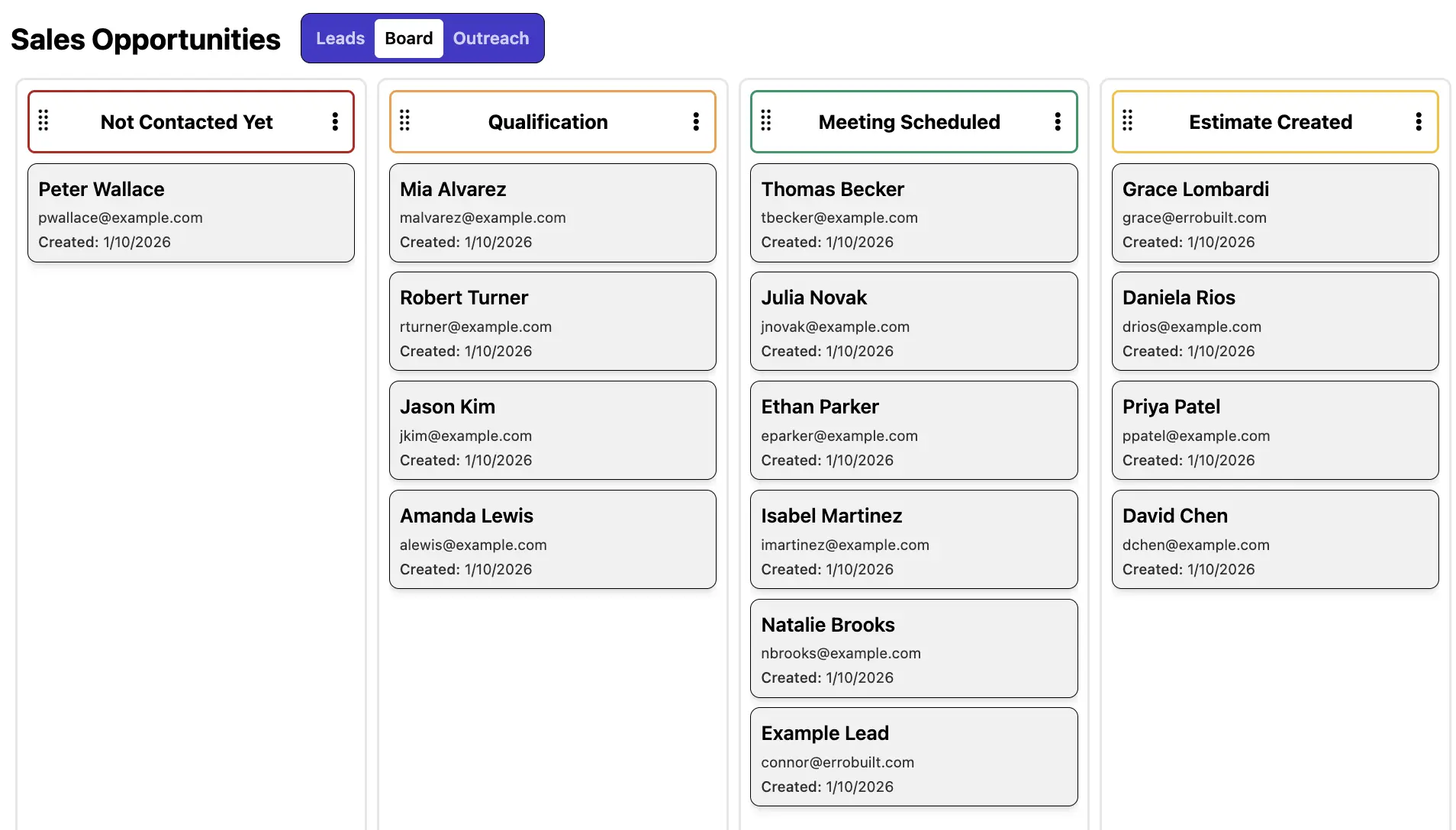
CRM & Contact Forms
Capture, organize, and manage leads in one place to keep your pipeline moving. Collect leads from web forms, phone calls, and referrals, then track interactions, apply custom tags and statuses, and collaborate with your team to turn more opportunities into conversions.
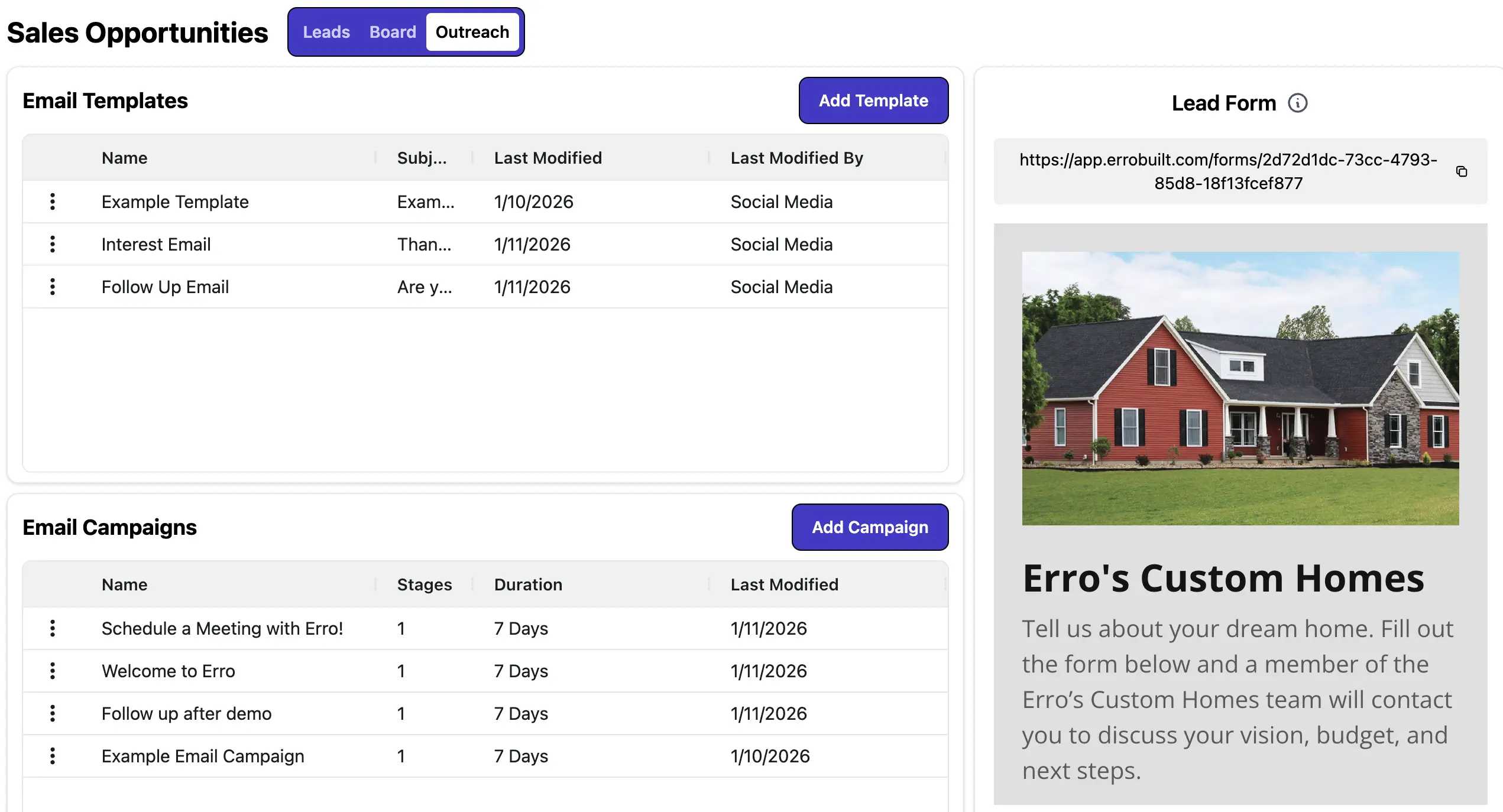
Marketing Automation
Automate outreach to save time and boost conversions. Set up email campaigns, schedule follow-ups, and use custom email templates to maintain a consistent brand presence and streamline communications at scale.
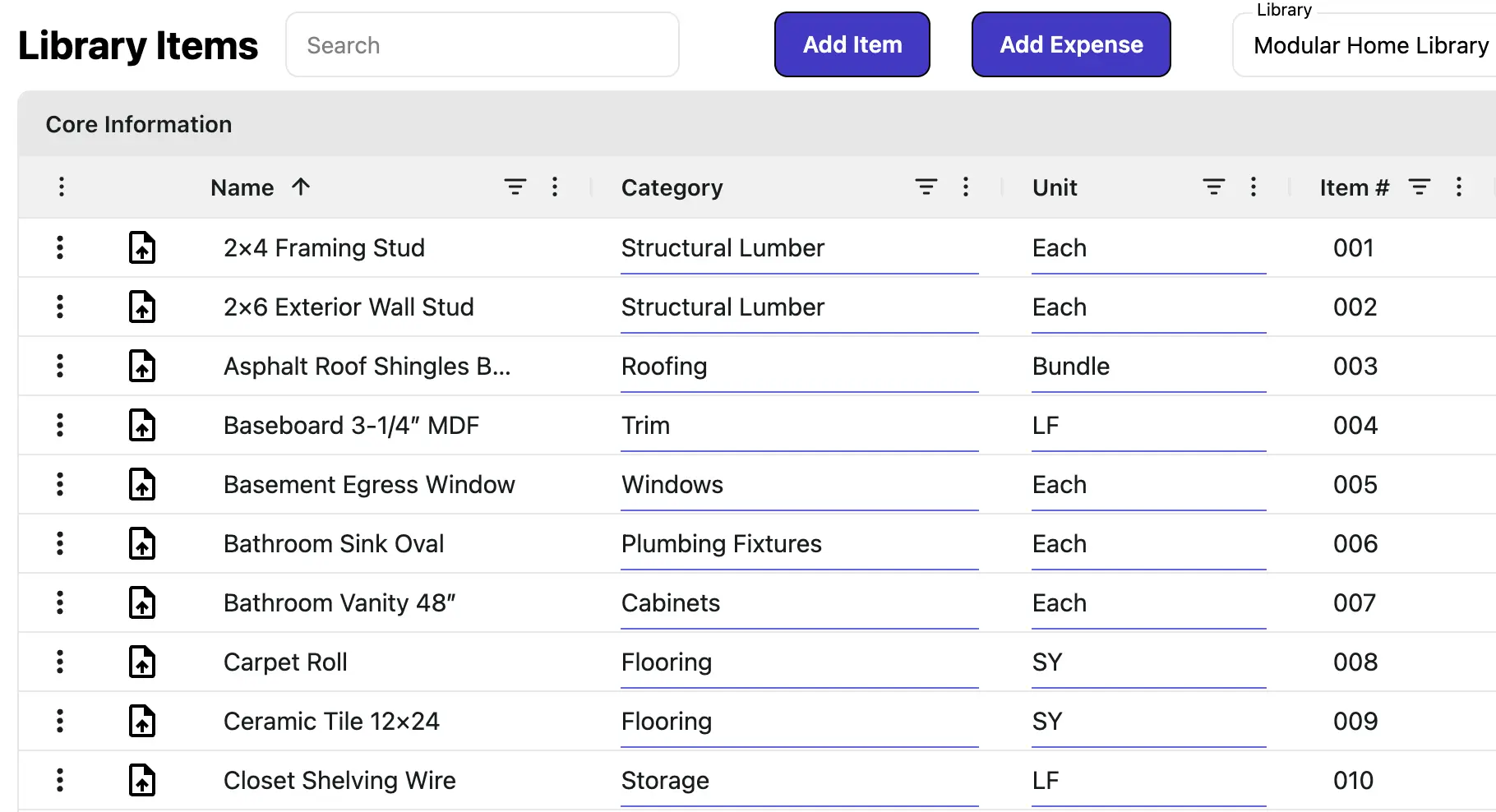
Product Library
Centralize all your offerings with up-to-date pricing, tax profiles, and budget tracking. Add items to estimates, proposals, and invoices with accuracy, without relying on spreadsheets or manual calculations.
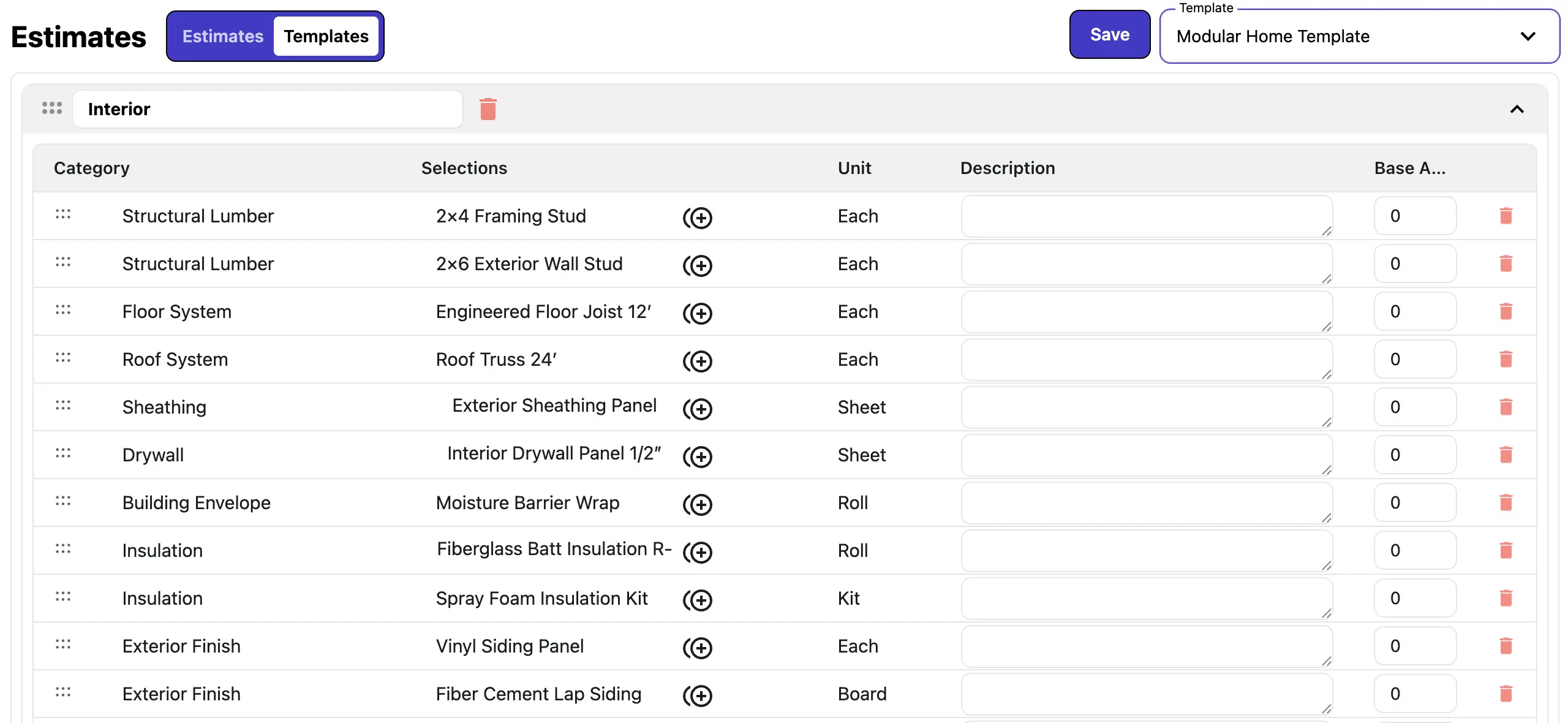
Sales Templates
Build reusable templates for all your sales documents, including estimates and proposals. Support complex assemblies, base and option pricing, and item groupings. Save, update, and copy templates to streamline workflows, reduce errors, and accelerate sales cycles.
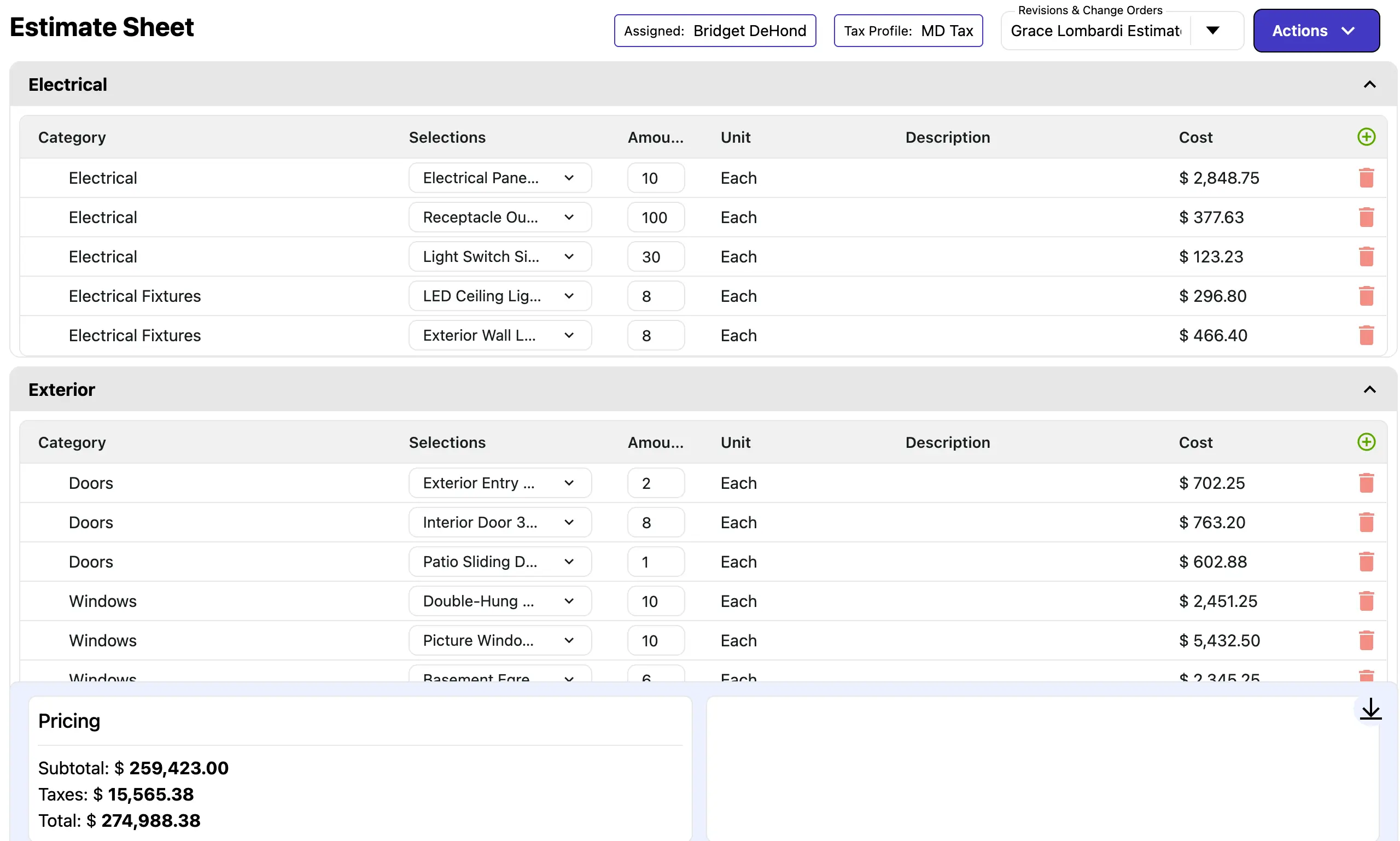
Estimate Creation
Create accurate estimates in minutes using templates and live pricing from your product library. Adjust items, quantities, and pricing with confidence, then send proposals directly from your estimates to clients for faster approvals.
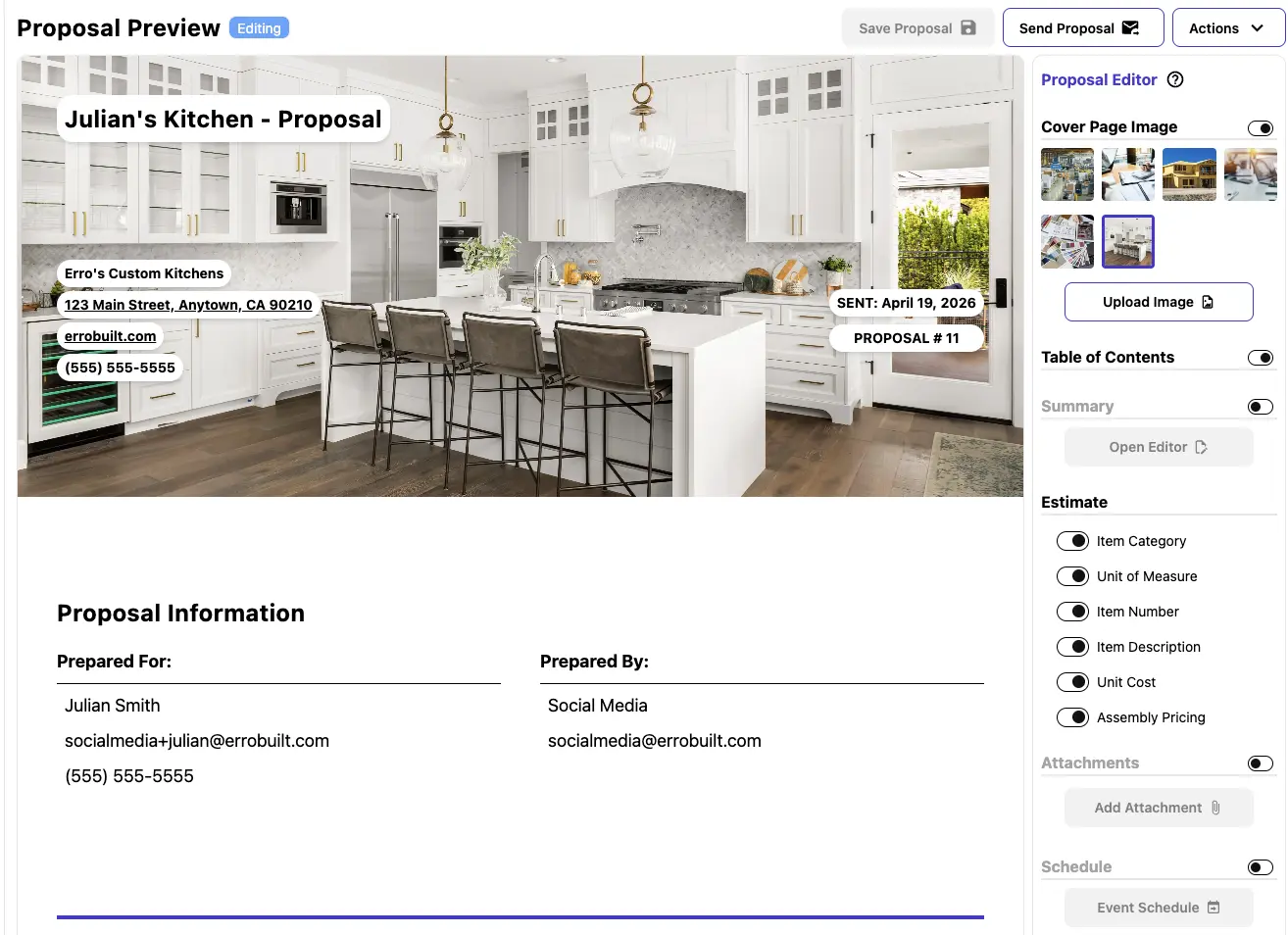
Proposals
Create, manage, and send professional proposals with ease. Customize templates, track client interactions, and streamline the approval process to close deals faster.

Invoices & Payments
Generate invoices from proposals and record payments seamlessly. Automate billing notifications, track payment status, and manage recurring or scheduled invoices—all from a single dashboard.

Change Orders
Manage change orders efficiently by linking them directly to estimates and proposals. Track payments and current pricing, update line items easily, and keep your team informed with dashboard visibility and automated approval workflows.
Ready to estimate and sell more efficiently?
Start your 30-day free trial, create an account immediately, and build accurate estimates and proposals from desktop or mobile.
Frequently Asked Questions
How do I access Erro?
How do I get started with Erro?
Can I change my subscription plan later?
Is Erro suitable for small businesses?
How is billing managed?
Does Erro offer customer support?
Can I import my existing data into Erro?
Is Erro Mobile-Friendly?
How do I add my lead form to my website?
Is my data secure with Erro?