Return to All Articles
Article Sections
1. Getting Started
2. Leads
3. Library
4. Sales Template
5. Estimate
6. Proposal
7. Invoice
8. Change Order
9. Organization Management
10. Team Management
Create a Lead
Learn how to create a lead step-by-step.
By Erro Support | 01/25/2026
5 min read
Leads
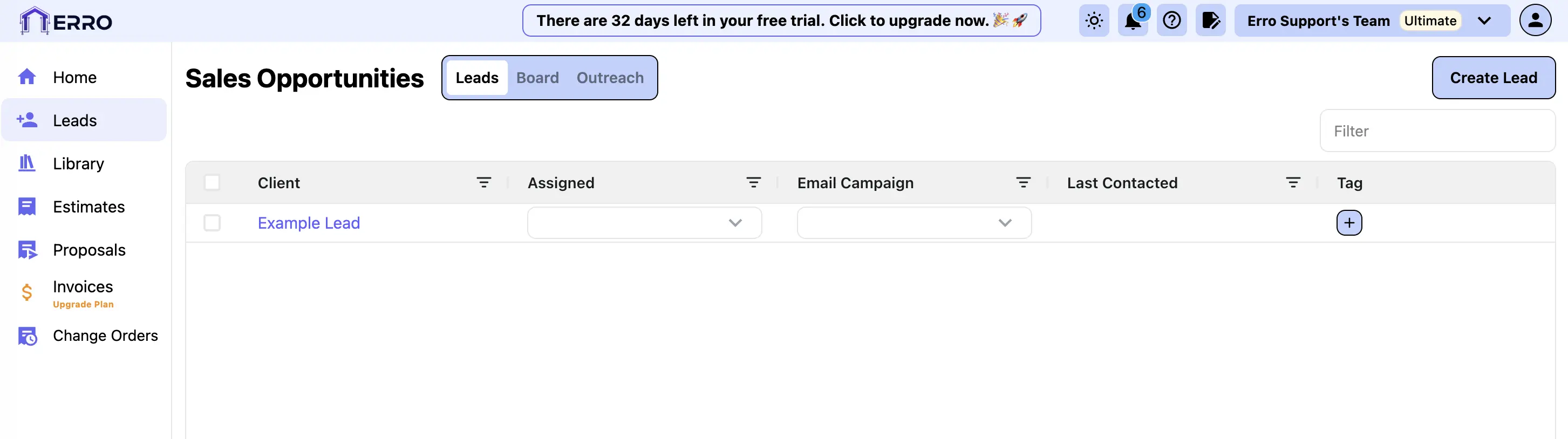
1. Create a Lead
Start by going to the leads page and clicking 'Create Lead'.
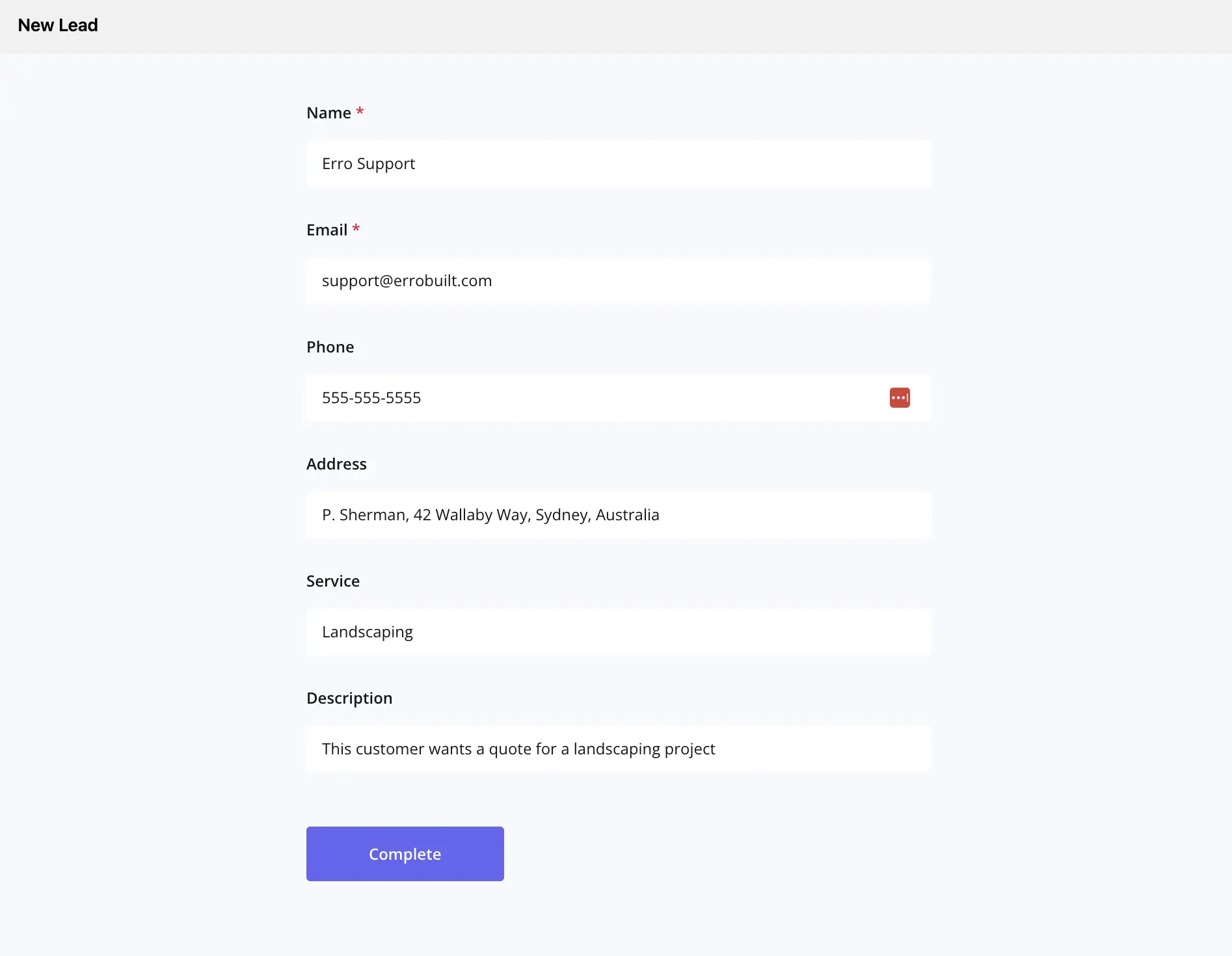
2. Enter Lead Information
Fill in the lead's details such as name, contact information, and source.
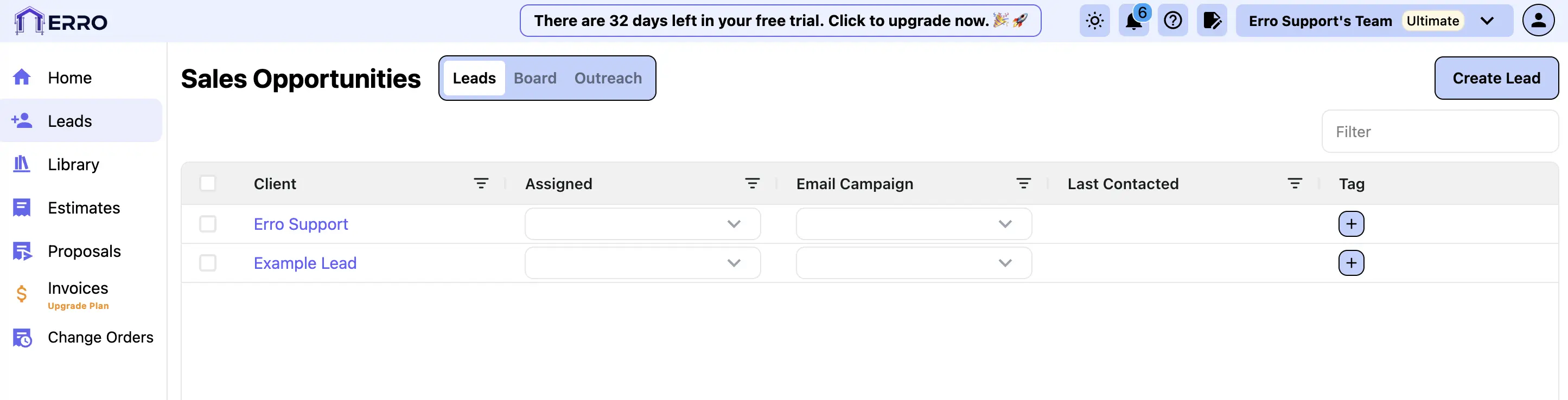
3. See Completed Lead
After entering all necessary information, save the lead to see it in your leads list.
Other Leads Articles
Explore more articles to help you get the most out of Erro.
Add a Tag or Stage to a Lead
Learn how to add a tag or stage to a lead.
Leads
5 min read
1/25/2026

Erro Support
Create an Email Template
Learn how to create an email template.
Leads
5 min read
1/25/2026
Erro Support
Create an Email Campaign
Learn how to create an email campaign.
Leads
5 min read
1/25/2026
Erro Support
Edit Your Lead Form
Learn how to customize and edit your lead form.
Leads
5 min read
1/25/2026
Erro Support
Embed Your Lead Form
Learn how to embed your lead form on your website.
Leads
5 min read
1/25/2026
Erro Support