Return to All Articles
Article Sections
1. Getting Started
2. Leads
3. Library
4. Sales Template
5. Estimate
6. Proposal
7. Invoice
8. Change Order
9. Organization Management
10. Team Management
Create a Library
Learn how to create a product library step-by-step.
By Erro Support | 01/25/2026
5 min read
Library
1. Create a Library
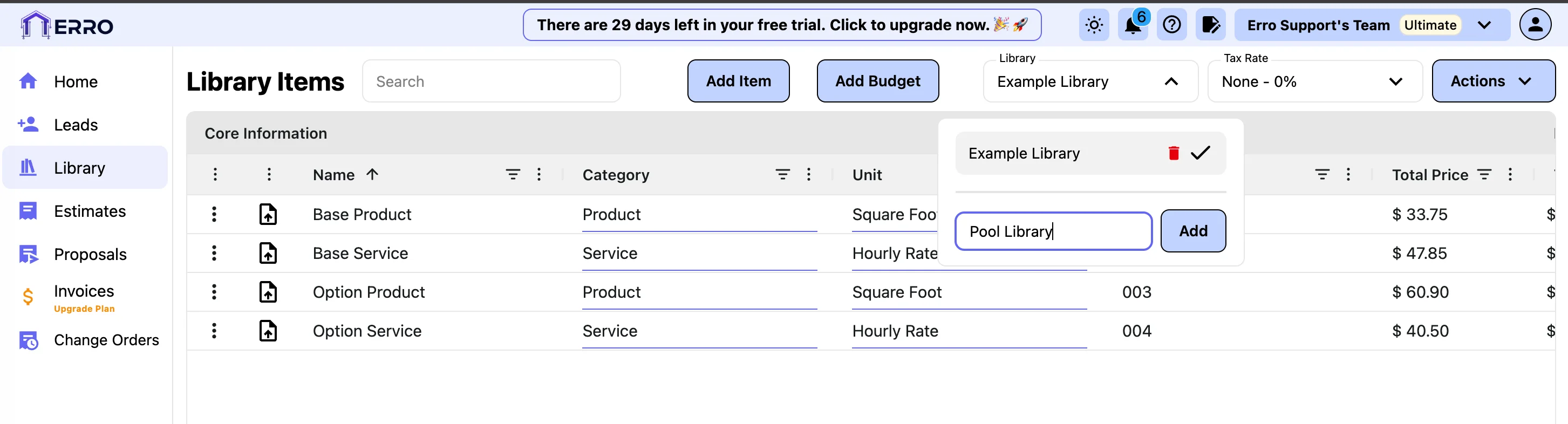
Start by navigating to the library section and clicking on the library drop down. Enter a new library name and click 'Add'.
2. Add Items to the Library
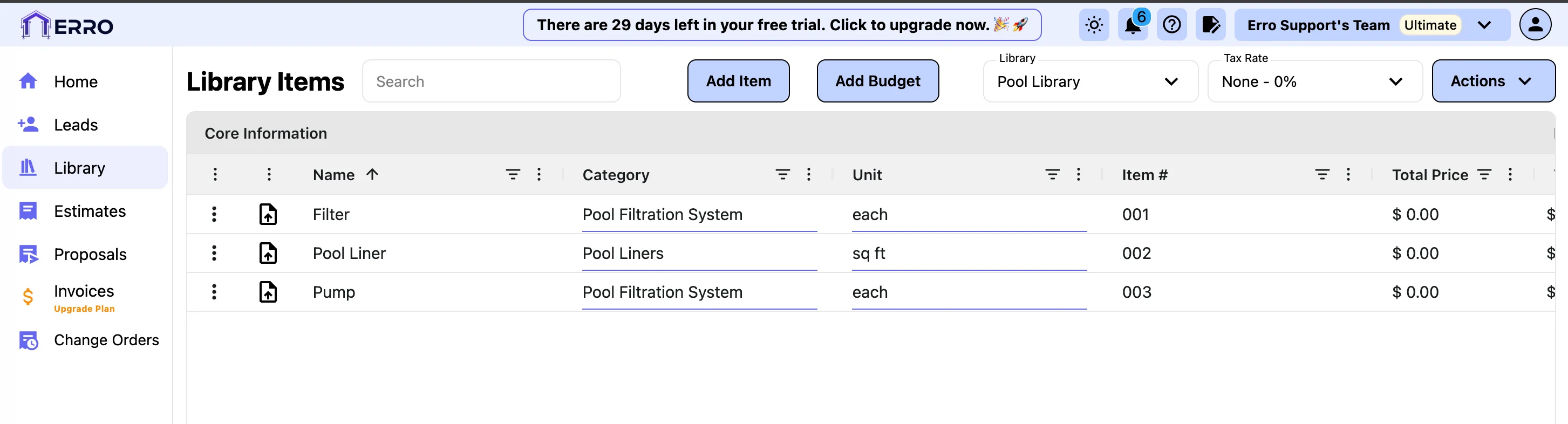
Once the library is created, you can start adding items by clicking the 'Add Item' button. Fill in the item details such as name, photo, category, unit of measure, and item number.
Other Library Articles
Explore more articles to help you get the most out of Erro.
Create a Budget
Create a budget for your library items.
Library
5 min read
1/25/2026

Erro Support
Calculate Profit for Library Items
Set and calculate profit margins for your library items.
Library
5 min read
1/25/2026
Erro Support
Calculate Tax for Library Items
Set and calculate tax for your library items.
Library
5 min read
1/25/2026
Erro Support