Return to All Articles
Article Sections
1. Getting Started
2. Leads
3. Library
4. Sales Template
5. Estimate
6. Proposal
7. Invoice
8. Change Order
9. Organization Management
10. Team Management
Calculate Profit for Library Items
Learn how to set and calculate profit margins for your library items step-by-step.
By Erro Support | 01/25/2026
1. Update Profit for a Single Item
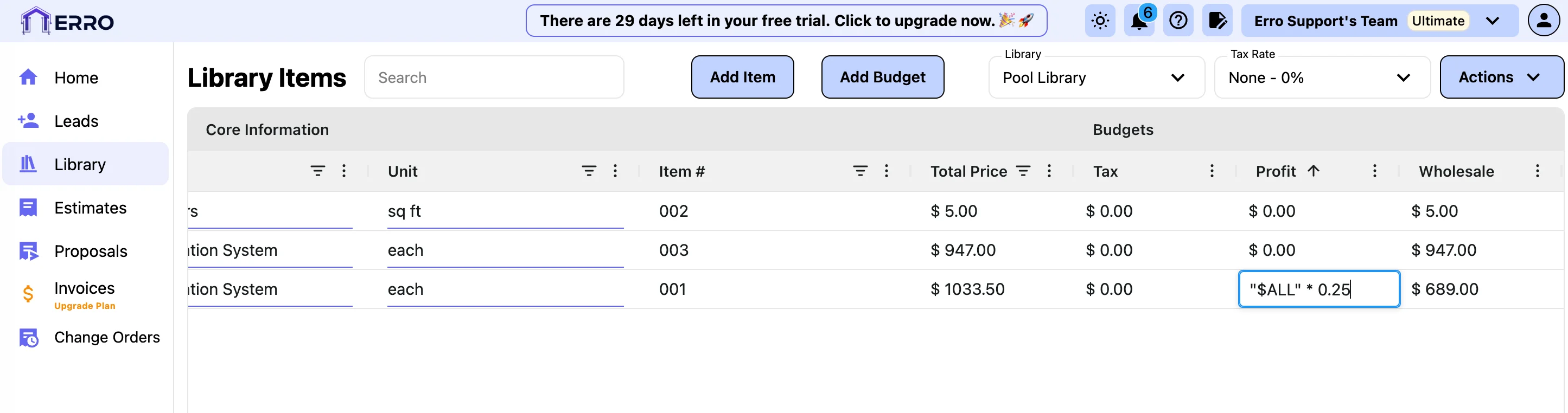
Double-click the profit field for a specific item and enter a decimal value representing the desired profit percentage. Example: To apply a 25% profit margin, change the formula shown from ("$ALL" * 0) to ("$ALL" * 0.25). The final pricing will automatically update based on the margin you set.
2. Update Profit for Every Item
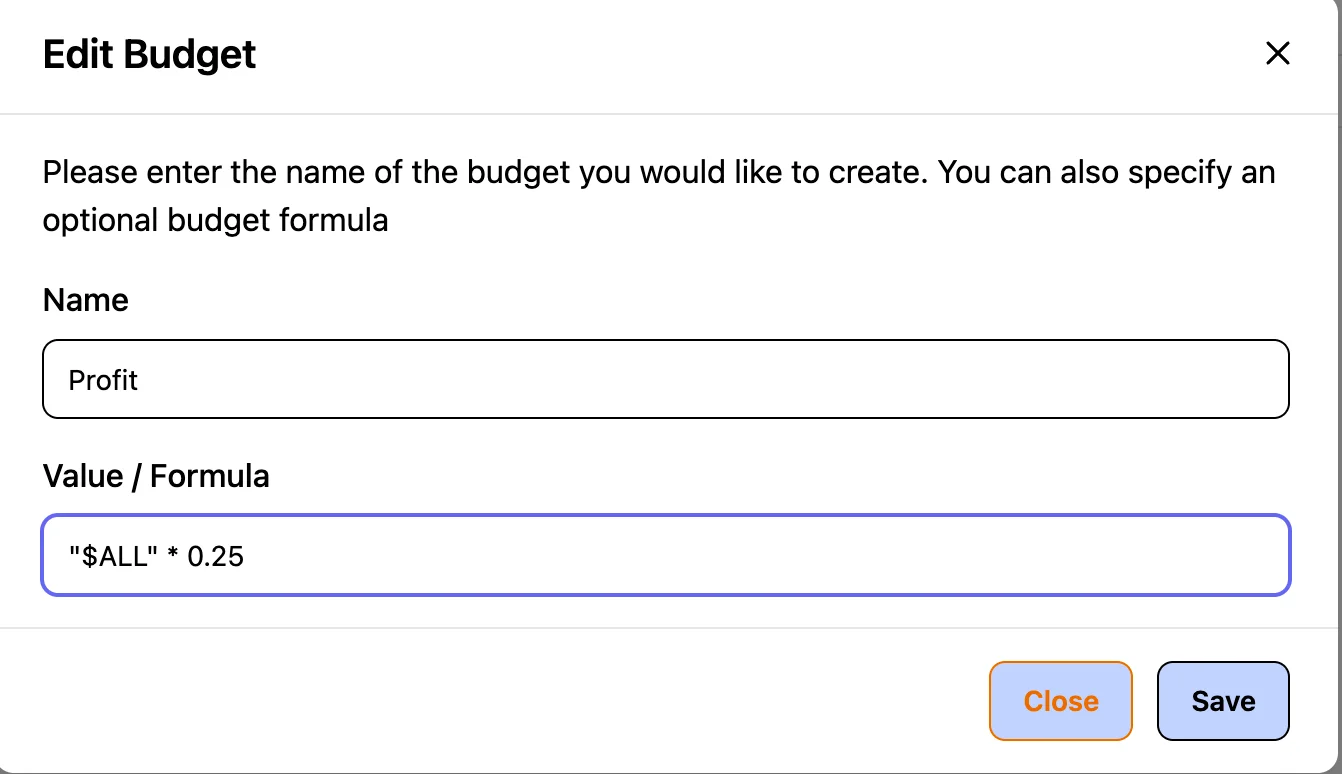
Click the three dots next to the Profit column and select Edit. Updating the formula here applies the change to all items in the column. Example: To apply a 25% profit margin, change the formula shown from ("$ALL" * 0) to ("$ALL" * 0.25). The final pricing will automatically update based on the margin you set.
Other Library Articles
Explore more articles to help you get the most out of Erro.
Create a Library
Create and manage your product library.

Erro Support
Create a Budget
Create a budget for your library items.
Erro Support
Calculate Tax for Library Items
Set and calculate tax for your library items.
Erro Support